1
Quote
Create a quote from your trade library and let the client approve digitally.
From first customer contact to CRM, planning, team, accountant and payment — Quotavia brings your whole workday into one platform.
Create a quote from your trade library and let the client approve digitally.
Move the job into planning, work orders, hours, materials and photos.
Invoice from quote or work order, including payment link and UBL/Peppol.
Bank connection matches payments and keeps reminders honest.
What is open, what is waiting for a reply, what has been accepted but not scheduled yet? The work list puts the next action right next to it: send a reminder, create a project, invoice.
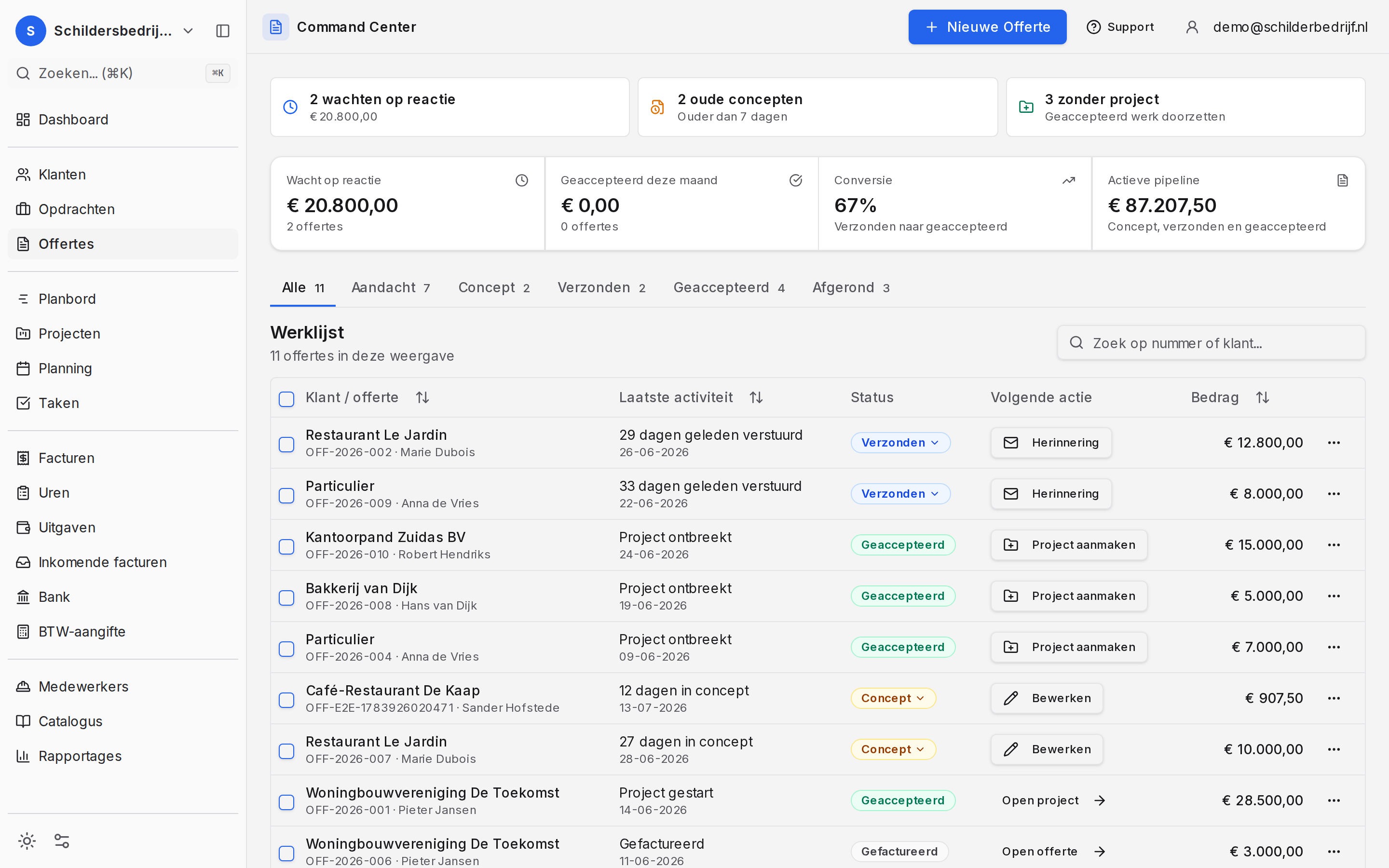
Drag jobs to the right week and the right person. You see capacity and workload while you plan, and your crew sees their own list on their phone.
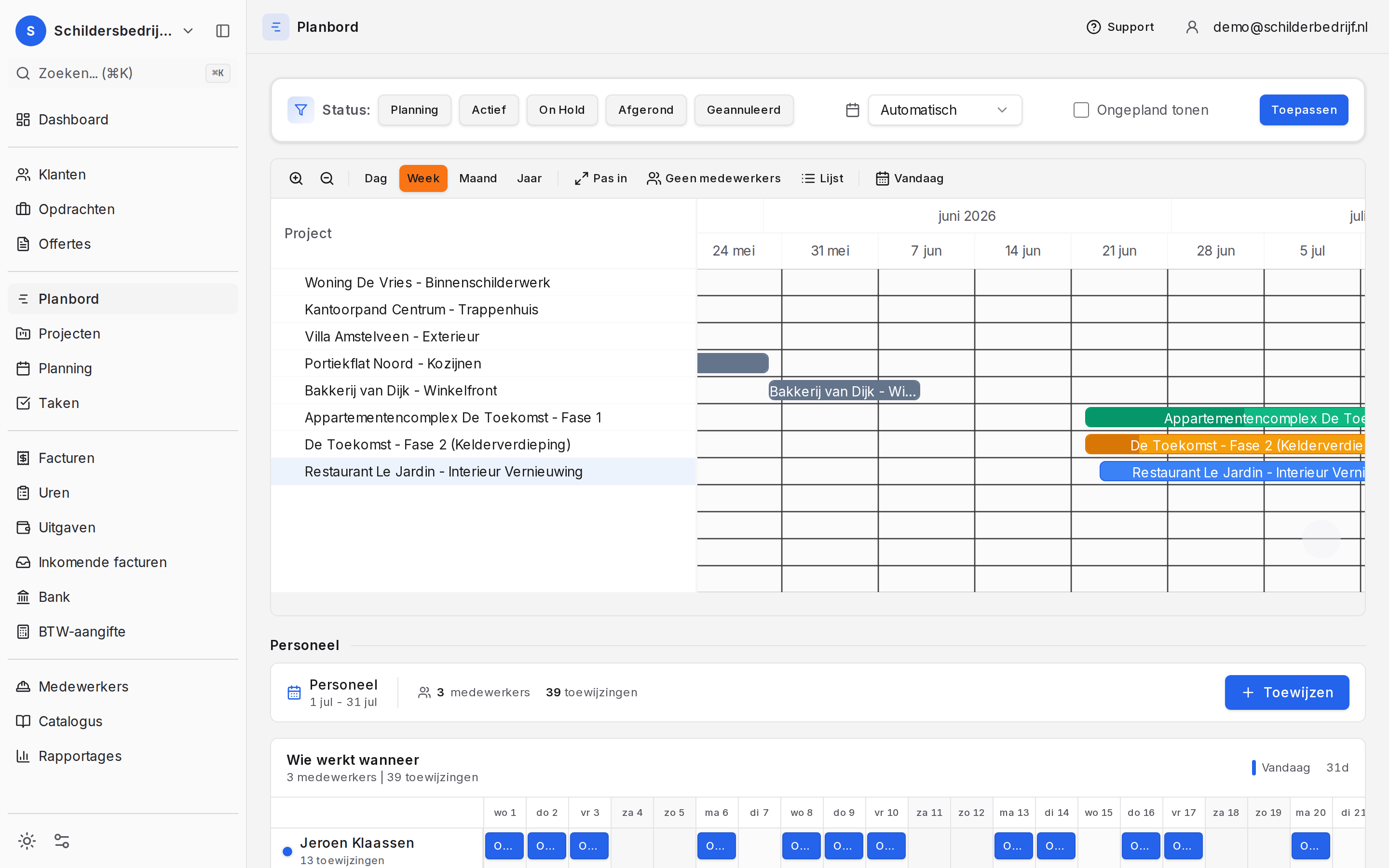
Connect your business account and Quotavia finds the matching invoice for every incoming payment. Certain? It books it. Any doubt? You get one click — never a silent guess with your money.
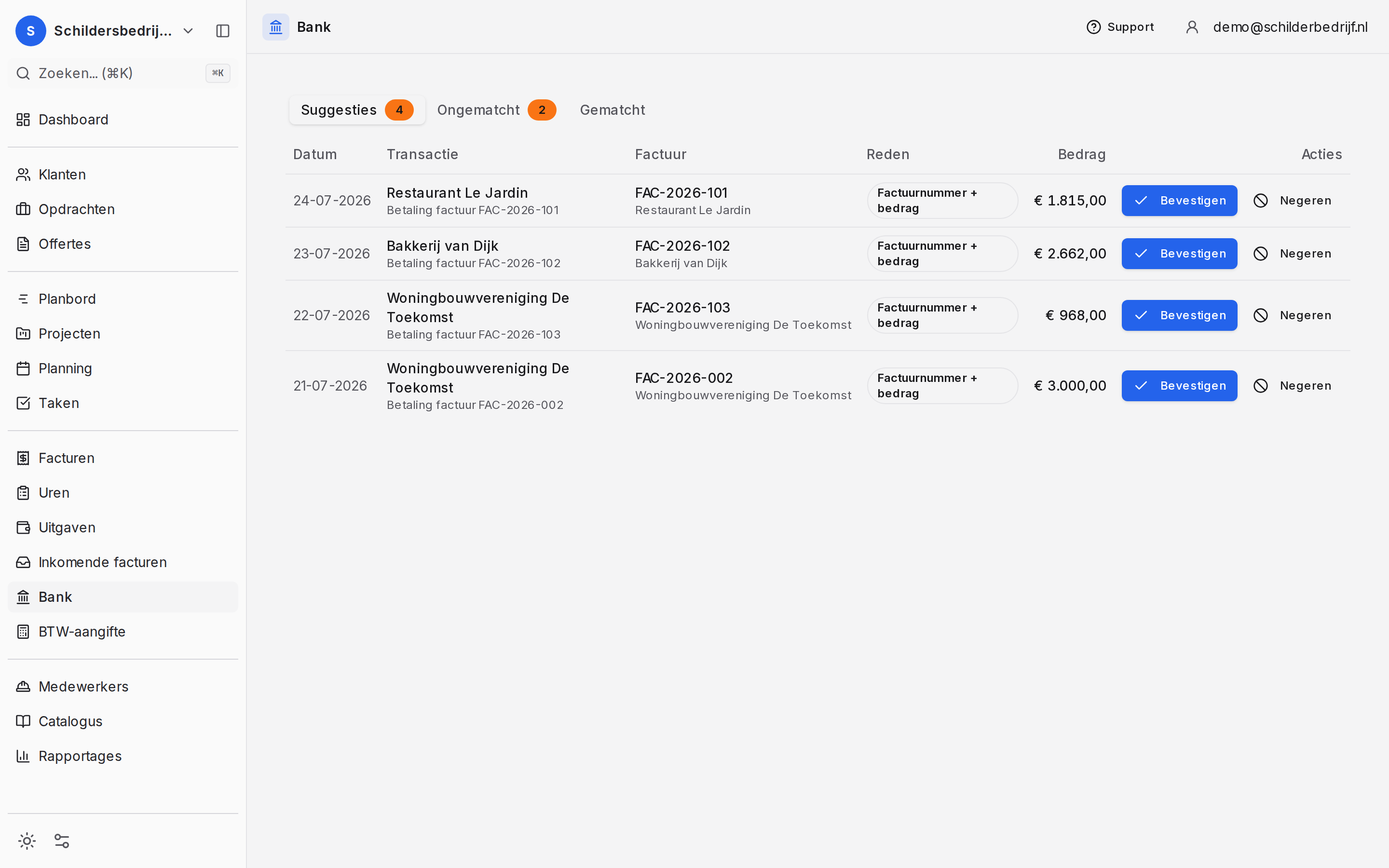
From first contact to a signed job.
Every customer with contact details, addresses and the full history of quotes, invoices and work done.
Quotes in your own branding, signed digitally by the client, automatic follow-ups and an expiry date that guards itself.
Every job as one file: the signed quote, the schedule, the hours, the work orders and the invoices together.
Recurring work and subscriptions that invoice themselves, via SEPA direct debit or a payment link.
The work itself — scheduling, crew and what happens on site.
Drag jobs to the right day and the right person; capacity and workload are visible at a glance.
Your crew works from their phone with a PIN: hours, materials, photos and the customer's signature, right on site.
Bigger jobs in phases, each with its own schedule and invoicing when the phase is delivered.
Who does what and when — including leave, rosters and availability.
Loose to-dos tied to a customer or job, so nothing slips through the cracks.
Money in, money out — and what the tax office needs.
Invoice in one click from your quote or work order, with a payment link and reminders that go out by themselves.
Log hours per job or per day, billed straight onto the right invoice.
Capture costs and receipts and tie them to the job they belong to.
Receive e-invoices via Peppol or as UBL and process them without retyping a single figure.
More about this →Connect your business account; incoming payments are reconciled against your invoices automatically.
More about this →Every quarter an overview that matches your invoices and expenses, including exemptions and reverse-charge VAT.
The foundation the rest runs on.
Workers with their own login or PIN, including certificates, leave and their own work list.
Your own prices, materials and standard texts: enter once, reuse everywhere.
See per month, customer or type of work what comes in and what it costs.
From the first enquiry to a customer who comes back.
Every contact, quote, job and invoice together, so you never have to search for the latest status.
See which customer is waiting for an answer, an appointment or a next step - and keep actions out of your head.
Workers, certificates and leave in one place.
Invite your team with their own login or PIN and give everyone access that matches their role.
Track certifications, leave and availability before they become a problem in your schedule.
Your accountant can work from the same administration too.
Give your accountant controlled access to multiple client companies, with period exports and their own branding.
Send and receive invoices as UBL, Factur-X or through Peppol, without separate export steps.
More about this →Most people landing here already work with something — a spreadsheet, Word, an accounting package or a folder of PDFs. Switching does not have to happen all at once, or without a safety net.
Import your customer base from a CSV export. You will not retype a single address.
Quotavia does not replace your accountant. Invoices go their way as UBL or Factur-X — or over Peppol.
Everything is exportable at any time. If you stop, you simply take your data with you.
Plenty of people start with quotes only and switch the rest on later. That is allowed.
So you do not discover halfway in that you were looking for something else.
Join through the same sign-up as the homepage. We will let you know as soon as Quotavia opens.